
Free Cache Warmup Crawler
for Windows, Linux & macOS
An easy-to-use, ultra-fast CLI sitemap crawler for website analysis, SEO auditing, and warming up Cloudflare, LiteSpeed, WP Rocket, Redis, and Varnish caches.
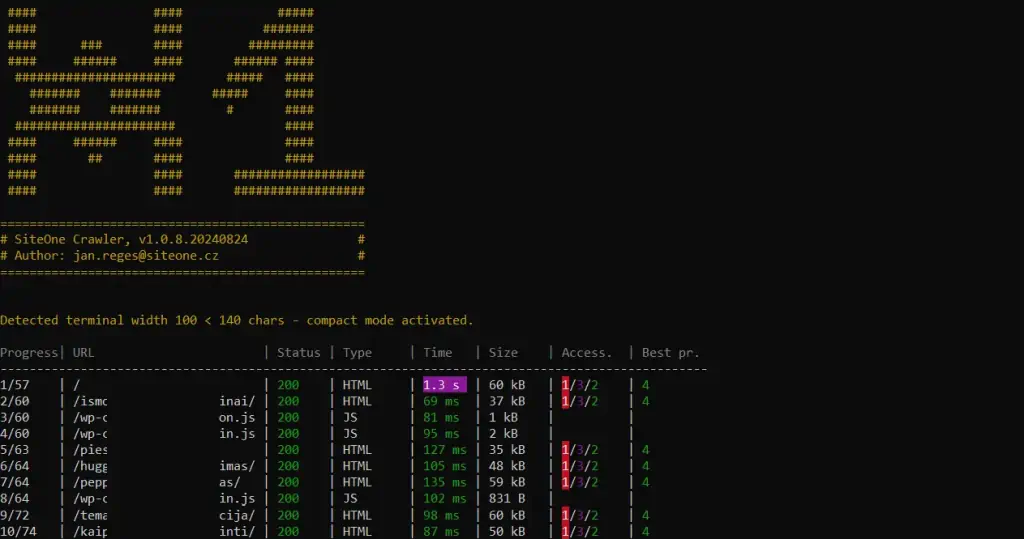
Why Choose Cache Warmup Crawler?
Designed for web developers, SEO specialists, and system administrators who demand peak website speed and comprehensive crawling accuracy.
Key Features & Capability Overview
Everything you need for cache priming, link validation, offline archiving, and sitemap management.
High Performance Crawler
Engineered with Swoole coroutines for incredible C++ level performance and multi-threaded request processing.
- Simulate Desktop, Mobile & Tablet User-Agents
- Respects
robots.txtrules - Crawls canonical URLs, CSS, JS, images & documents
- Catch CTRL+C with real-time stats retention
Dev & DevOps Assistant
Essential utility for warming up application caches and testing infrastructure resilience before production.
- Warm up Cloudflare, LiteSpeed, Redis & Varnish
- Test public and localhost ports (e.g.
localhost:3000) - Perform stress tests to verify DoS protections
- Custom headers & cookie bypass capabilities
SEO & Link Analyzer
Find weak spots, broken internal links, and unexpected HTTP response codes instantly across your website.
- Detect 404 errors, 301/302 redirect loops
- Extract HTML Title, Keywords, Meta Description
- Extensible analyzer plugin architecture
- DOM element count & asset size metrics
HTML & Email Reporter
Generates detailed visual HTML reports and automated email notifications with full audit statistics.
- Export to JSON, TXT, or standalone HTML
- Send HTML reports via SMTP directly to your inbox
- Upload reports securely online with retention rules
- Comprehensive end-of-crawl summaries
Offline Website Generator
Export full sites to local offline HTML files browseable without a web server (file:// protocol).
- Preserves relative links & local assets
- Compatible with Next.js, Nuxt, Astro, Gatsby
- Ideal for static backups & disaster recovery
- Host static snapshots on GitHub Pages or Vercel
Sitemap Generator
Automatically build clean, standard-compliant XML and TXT sitemaps during the crawling process.
- Generates
sitemap.xmlandsitemap.txt - Dynamic URL priority based on path depth
- Auto-filters unindexed or restricted pages
- Supports cross-domain asset indexing
How to Use the Crawler
Simple single-binary CLI commands for Windows, Linux, and macOS.
🖥️ Windows (Command Line / Cygwin / WSL)
Run directly using precompiled swoole-cli or via WSL (Ubuntu/Debian recommended):
🐧 Linux / macOS Terminal
Basic crawl command for Linux and macOS terminal:
Download Free Cache Warmup Crawler
Select your operating system package below to start warming up your cache and analyzing your website.
Command Line Arguments Reference
Complete breakdown of configuration flags and parameters.
⚙️ Basic Settings
- --url=<url> (Required) HTTP or HTTPS web address to crawl.
-
--device=<val> Device type for User-Agent (
desktop,mobile,tablet). Default:desktop. - --user-agent=<val> Custom User-Agent header string.
-
--timeout=<int> HTTP request timeout in seconds. Default:
3. - --proxy=<host:port> HTTP proxy server in host:port format.
- --http-auth=<user:pass> Basic HTTP authentication credentials.
🛡️ Resource Filtering Flags
-
--disable-javascript Disables JS downloads and strips all
<script>and inlineon*event attributes. - --disable-styles Disables CSS downloading and removes style tags and inline style attributes.
- --disable-fonts Disables font file downloads and removes @font-face rules.
- --disable-images Replaces images with placeholder files during crawl.
- --disable-files Prevents downloading linked document files (.pdf, .zip, etc.).
🚀 Advanced & Performance Options
-
--workers=<int> Concurrent parallel workers (threads). Default:
3. -
--memory-limit=<size> RAM limit (e.g.
512M,1G). Default:512M. - --include-regex=<regex> Include matching URLs (PCRE regex).
- --ignore-regex=<regex> Exclude matching URLs (PCRE regex).
-
--http-cache-dir=<dir> Directory for HTTP cache storage. Set to
'off'to disable.
📄 Export & Sitemap Generation
- --output-html-report=<file> Saves detailed interactive HTML report to file path.
- --output-json-file=<file> Exports crawling metrics to JSON file.
-
--sitemap-xml-file=<file> Target path to export
sitemap.xml. -
--sitemap-txt-file=<file> Target path to export
sitemap.txt.